Follow the steps below on how to check for duplicated of SKU when importing products via Bulk Import.
Microsoft Excel
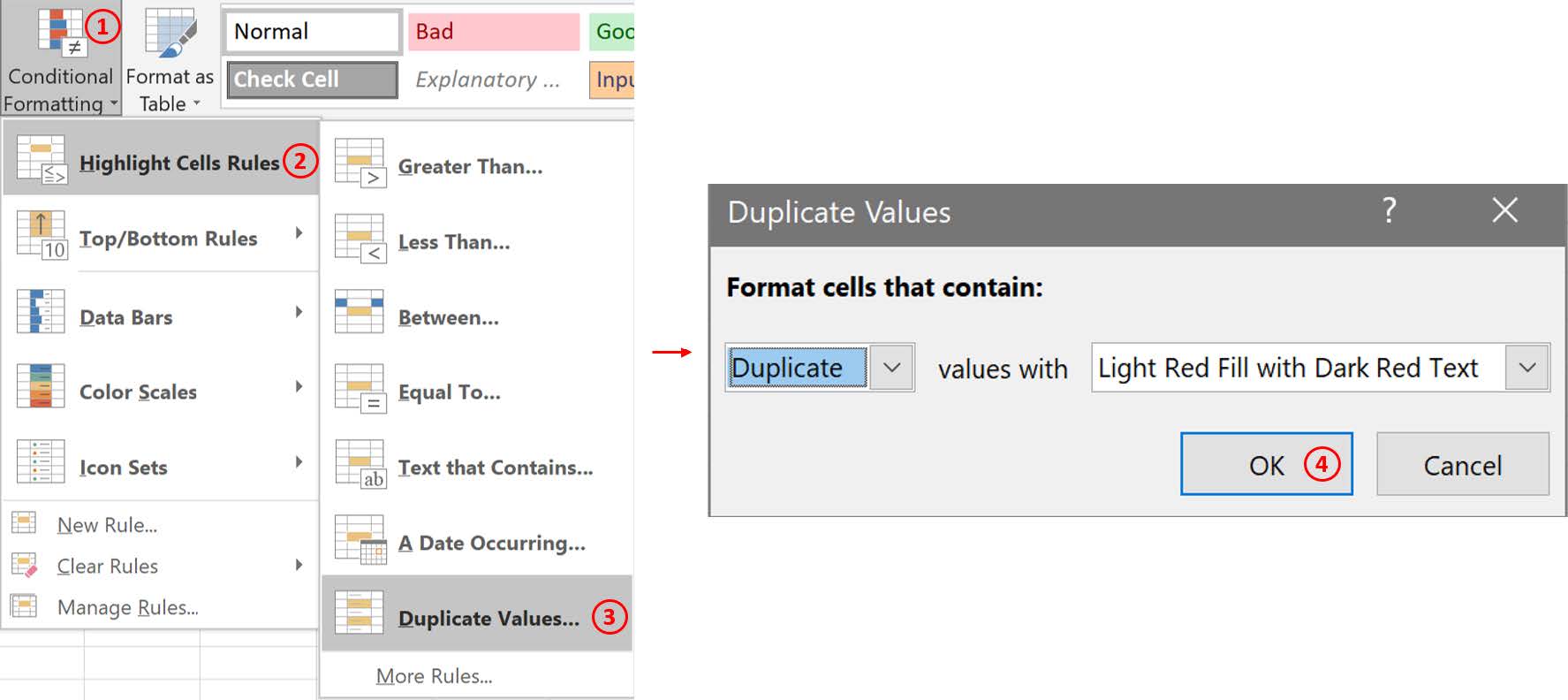
In the product import template, select entire column B (SKU) > Home Tab > Conditional Formatting > Highlight Cells Rules > Duplicate Values > the duplicated values will be highlighted in red.
Google Sheets
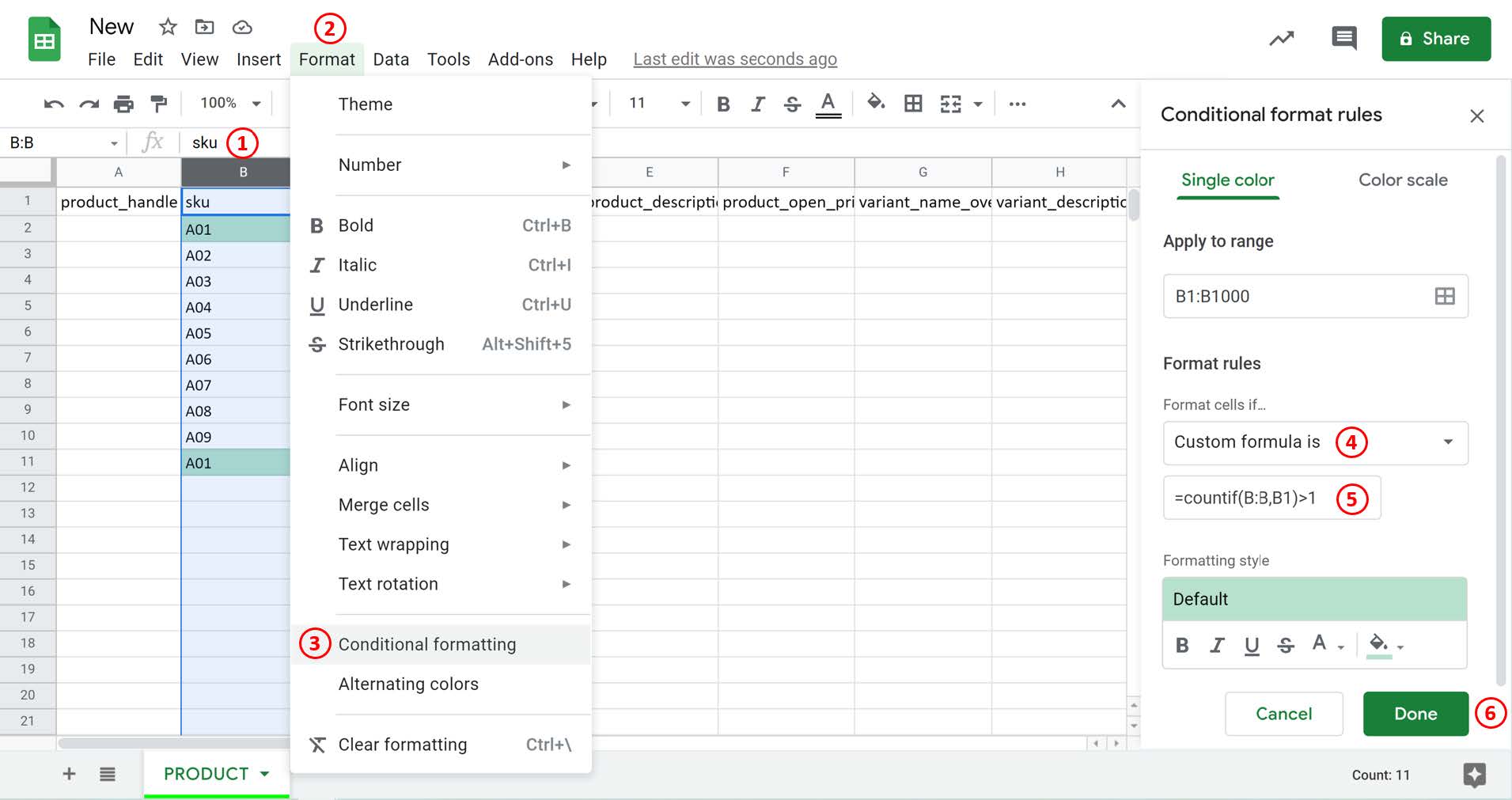
In the product import template, select entire column B (SKU) > Format > Conditional formatting > choose “Custom formula is” > input “=countif(B:B,B1)>1” > Duplicated values will be highlighted in green.